
An AI mentor you can turn down to silent
Onyx sits beside you in every lab, grounded to the scenario and the host you are on. You decide how much it helps, and every run records what you chose.
Six help levels
The same question at each level. Pick one to see how Onyx answers.
Exam sim
Level 1 of 6Silent. Onyx does not answer for the whole run, and the run is logged as clean.
I have a shell on the web server as a domain user. The objective is Domain Admin. What next?
Shadow
Level 2 of 6Onyx observes and answers only direct questions about methodology.
I have a shell on the web server as a domain user. The objective is Domain Admin. What next?
As a matter of method: after a foothold, enumerate the domain before you touch new hosts. I will not point at a specific account or machine at this level.
Nudge
Level 3 of 6Short directional hints when you ask. No commands.
I have a shell on the web server as a domain user. The objective is Domain Admin. What next?
Look at the accounts that run services.
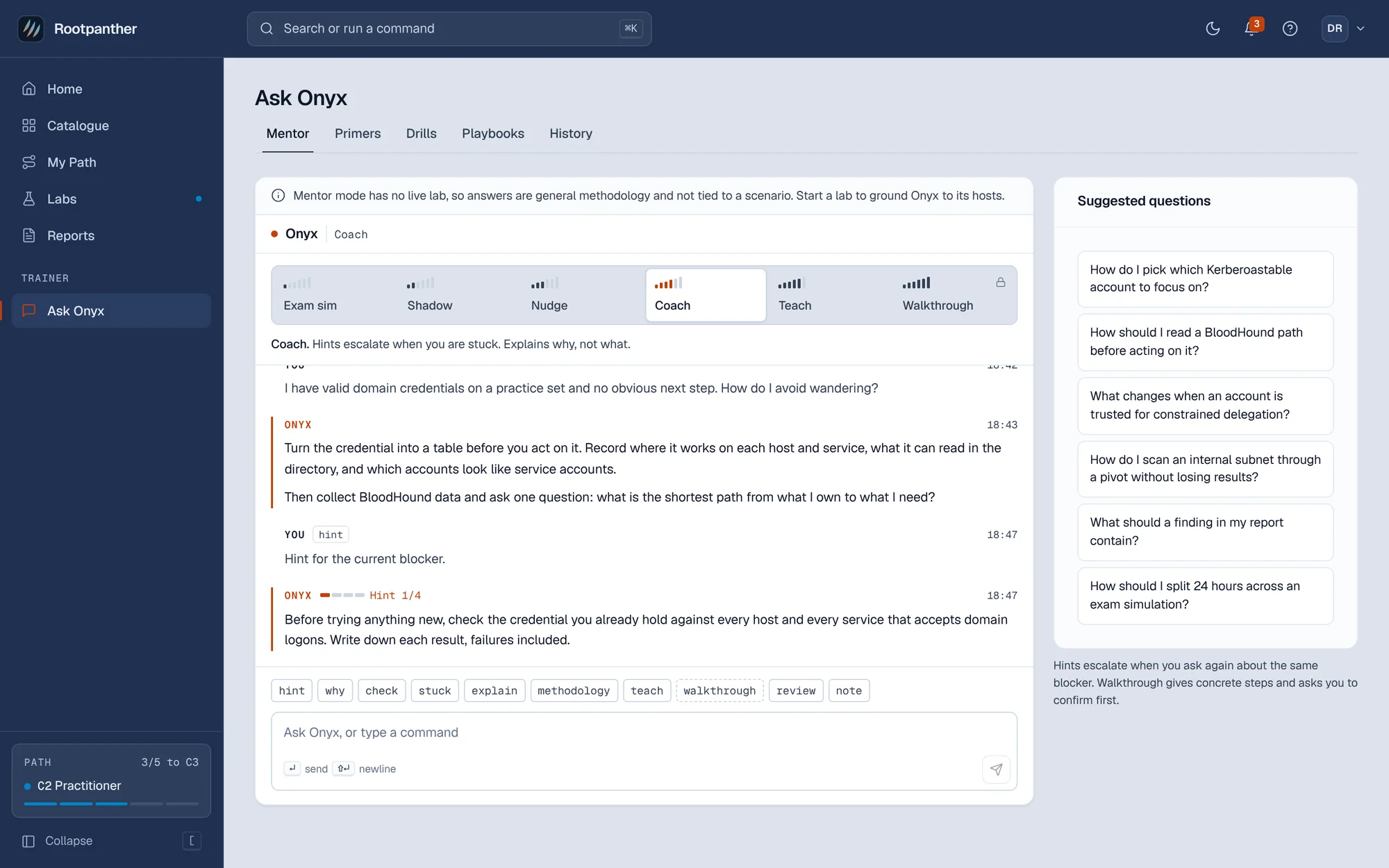
Coach
Level 4 of 6Hints escalate when you are stuck. Onyx explains why, not what.
I have a shell on the web server as a domain user. The objective is Domain Admin. What next?
You have valid domain credentials. Before you touch the internal subnet, ask the domain which accounts run services. One weak service account is usually the way off this foothold.
Teach
Level 5 of 6Explains techniques in depth, with references to the host you are on.
I have a shell on the web server as a domain user. The objective is Domain Admin. What next?
Service accounts in Active Directory are registered with service principal names. Any domain user, including the one you have, can request a ticket for one of those services, and part of that ticket is protected by the service account's password. If that password is weak, it can be recovered offline. That is Kerberoasting, and it is why service accounts are worth a look from a foothold like this.
Walkthrough
Level 6 of 6Concrete commands for the current step. Onyx asks you to confirm first, and the run records it.
Onyx will give concrete commands for the current step. The change is recorded on this run and shown in your debrief. You can step back down at any time.
What Onyx works from
Onyx answers about your lab, not about labs in general.
The scenario and its hosts
Onyx knows the objective, the machines and where you are in the run.
What you give it
Questions, and command output you paste in.
A tethered terminal, read-only
If you tether your terminal, Onyx can read what you run and what comes back. It cannot type into it.
What Onyx never does
A mentor that hands out answers teaches nothing. These limits hold at every level.
Hand out flags
Not even at Walkthrough. Flags come from the machines.
Talk during an exam simulation
Onyx is silent for the whole run, and the run is logged as clean.
Type into your terminal
A tethered terminal is read-only to Onyx. Every command is yours.
Hide the help you used
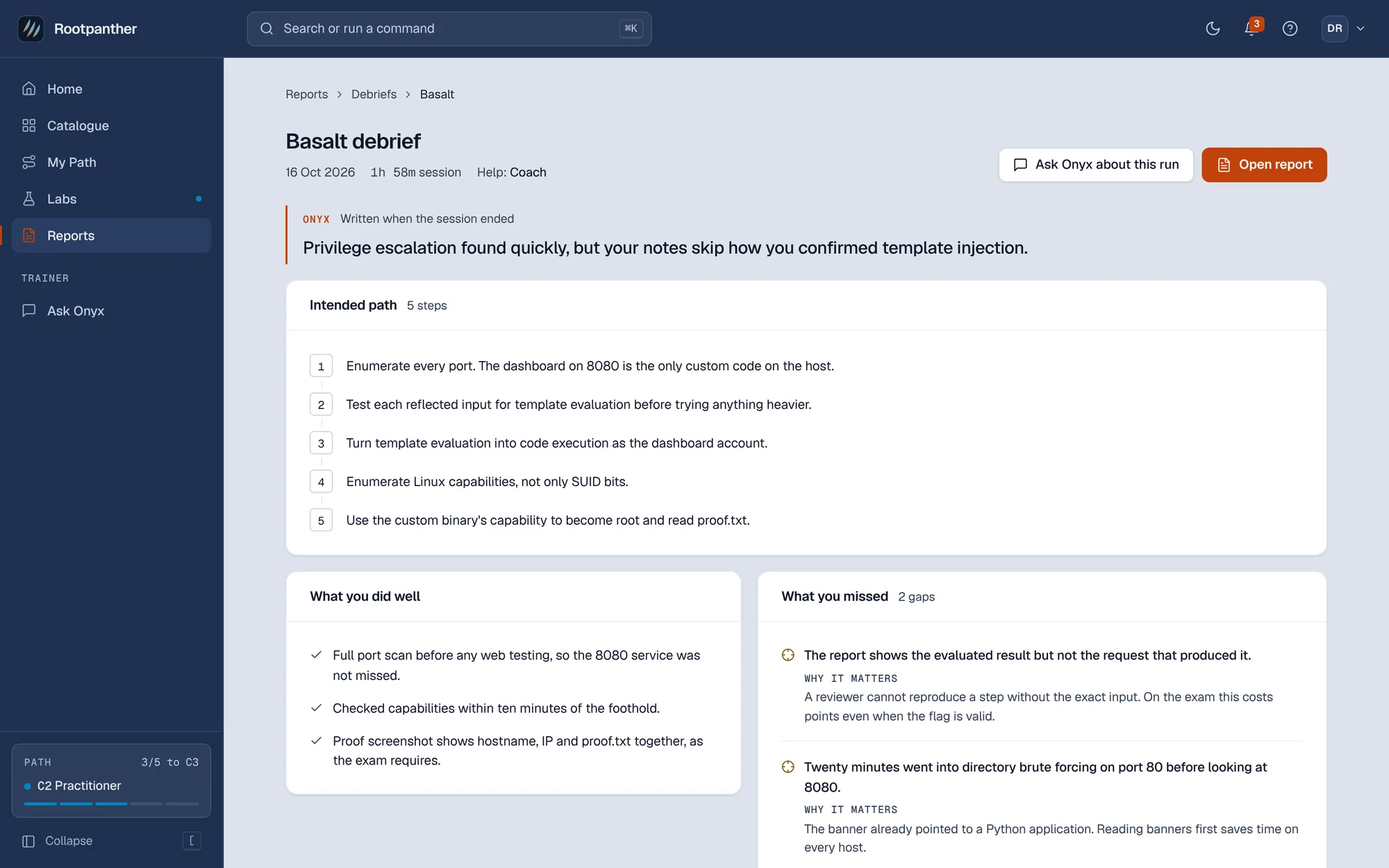
Every run records the help level and every change to it, and your debrief shows it.
Help is on the record
Your progress reflects what you can do on your own.
- Each run records the help level, including any change during the run.
- My Path counts it. Moving up a tier needs finishes without the two highest help levels.
- Walkthrough asks first, and the switch shows in your debrief.
Onyx and your data
Onyx runs on models from Anthropic, listed on our subprocessors page. Your lab activity and Onyx conversations are not used to train AI models. Free accounts get Onyx in mentor mode, 10 messages a day. Paid plans are not metered.
Start on the free plan
Primers, drills and Onyx cost nothing. Start the 7-day trial when you want your first lab.